Planning a trip means a lot of small things: tickets, a rough plan for each day, a packing list, and a budget that keeps changing. When they are spread across chats, photos and scraps of paper, something always gets lost. Here is a simple way to keep it all on one page, with a family trip to Goa as the example.
1. Make a notebook for the trip
Start a new notebook and call it something you’ll recognise, like “Goa trip, December”. Give each big plan its own notebook, so everything about it stays together.
2. Write the day-by-day plan
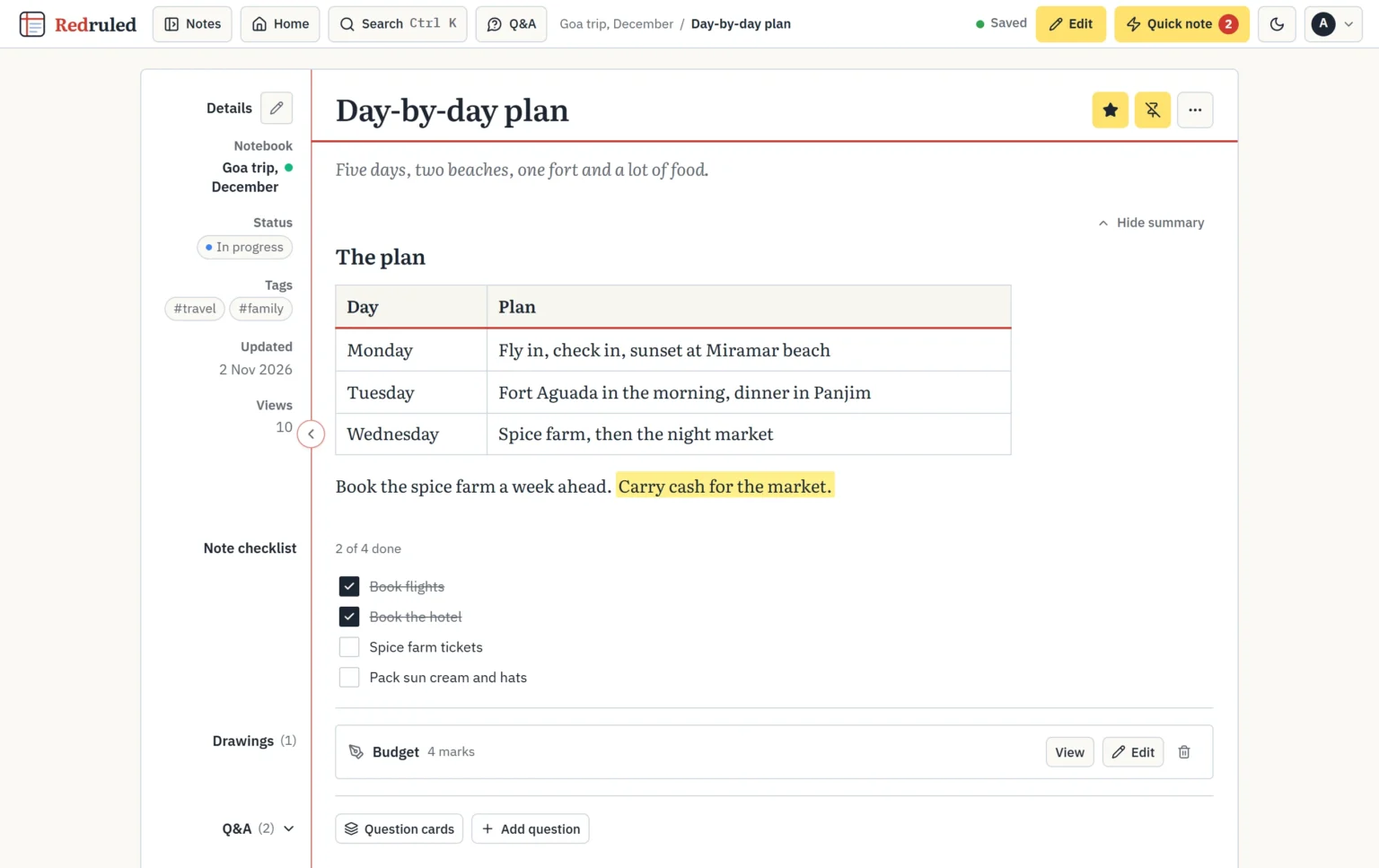
Add a note called “Day-by-day plan”. In the short summary on top, write one line about the trip: “Five days, two beaches, one fort and a lot of food.” Then add a table with a row for each day and columns for morning, afternoon and evening. If you already started the plan in a spreadsheet, copy it and paste it straight in.
Use the highlighter on anything you must not miss, like the day the fort is closed.
3. Add a packing checklist
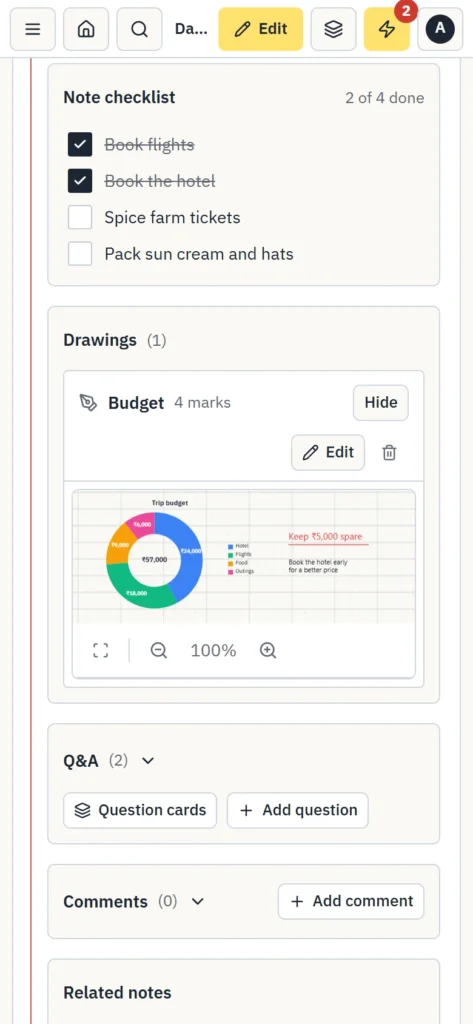
Every note has its own checklist. Add what you need to pack, one item per line, and tick each one off as it goes into the bag. On your phone, the list is right there while you pack.
4. Draw the budget
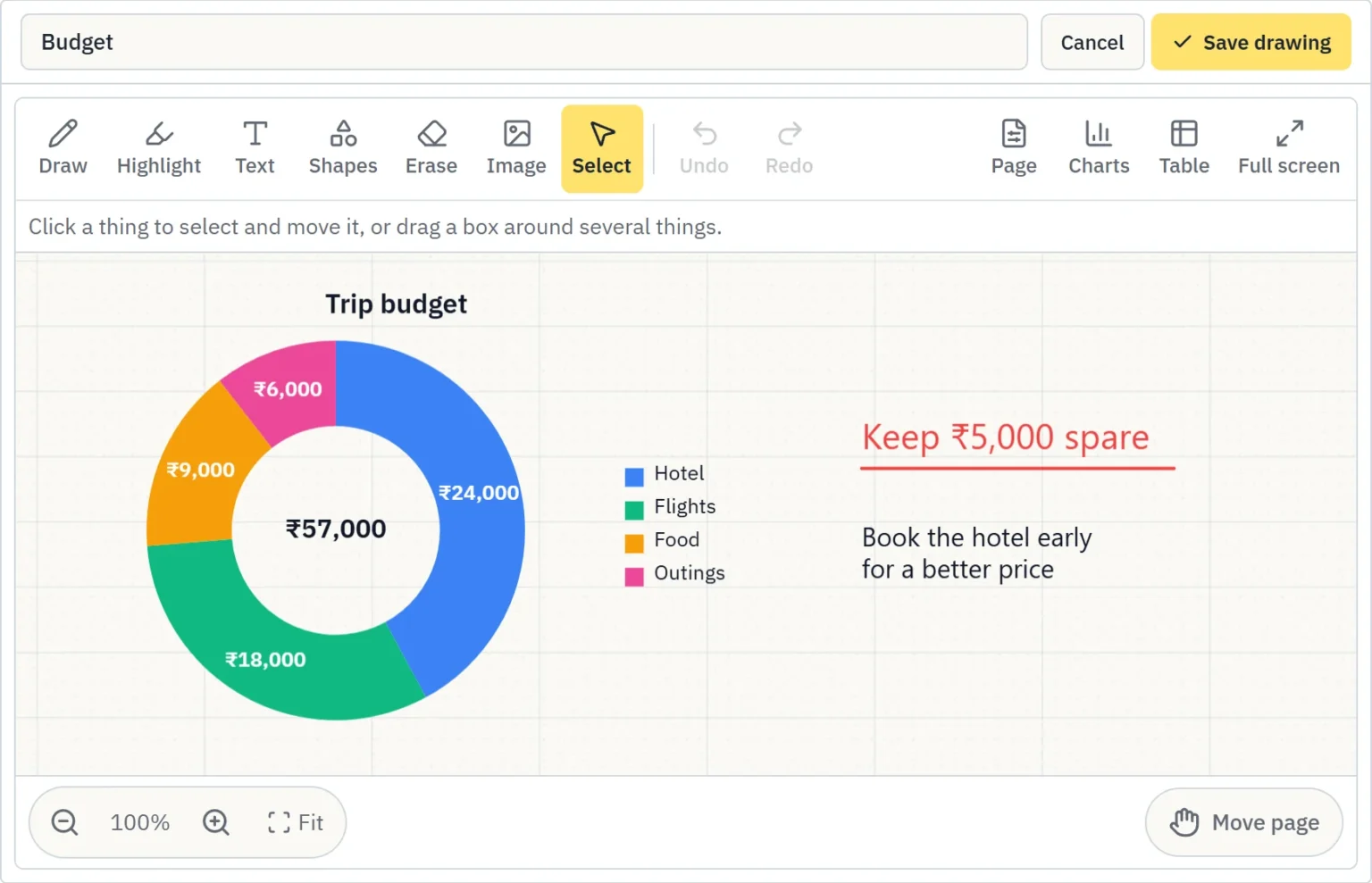
Add a drawing to the note, open Charts and pick a pie chart. Type in what you plan to spend on travel, the stay, food and things to do. Change a number later and the chart changes with it. You can write a note next to it by hand, like “ask about the airport taxi price”.
5. Keep the tickets with the plan
Add your tickets and bookings to the note as files: PDFs from email, or photos of paper tickets. When someone asks “what time is the train?”, the answer is one tap away.
6. Add a few questions
Before you leave, add a few questions to the note with their answers, like “What time is the flight on Friday?” or “Which hotel are we in on the second night?”. On the way to the airport, go through them as question cards with the family.
Open it anywhere
Add Redruled to your phone’s home screen, and the whole trip is in your pocket. The same notebook opens on your laptop when you want a bigger screen for planning.
The same idea works for moving house, a wedding or a family event: one notebook, one page per part, with the plan, the list, the numbers and the files together.
Start free with Redruled and plan your next trip on one page.