
Everything on one page

Redruled is a notebook you write in, draw in and check yourself with, and your AI app can work in it with you. Here is everything it can do, with pictures from the app.

Notes that read like a page

Each note is a clean white sheet with the details down the margin, like a real notebook.
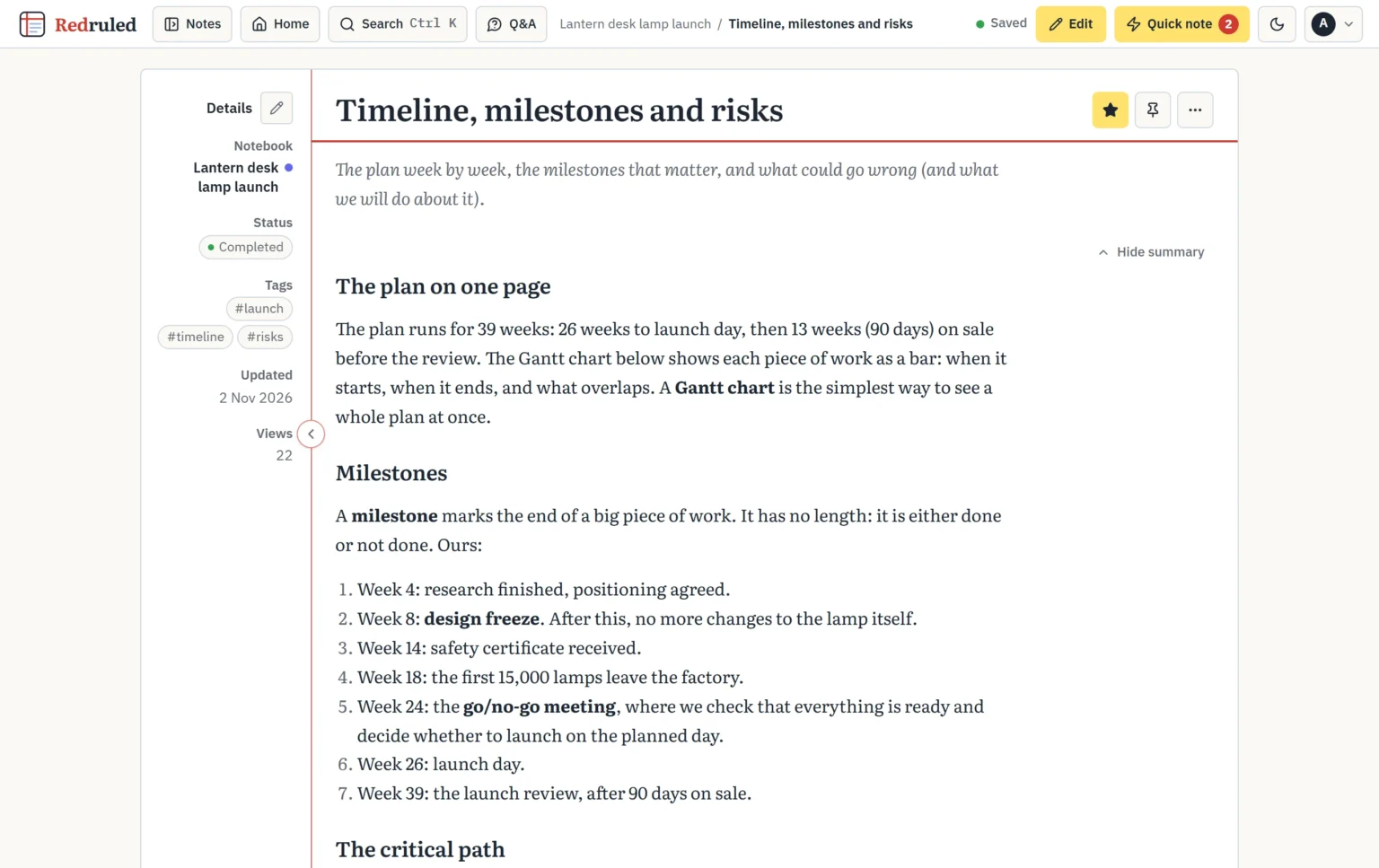
  • Headings, lists, quotes, links, tables and pictures.
  • A short summary on top, the full text below.
  • Tags, status and notebook in the margin.
  • Every save keeps the old version in the note's history.
A work note about a product launch timeline, with its details down the margin

Draw anything

Every note can hold drawings. Use a page that grows as you draw, or an endless board you can move around.
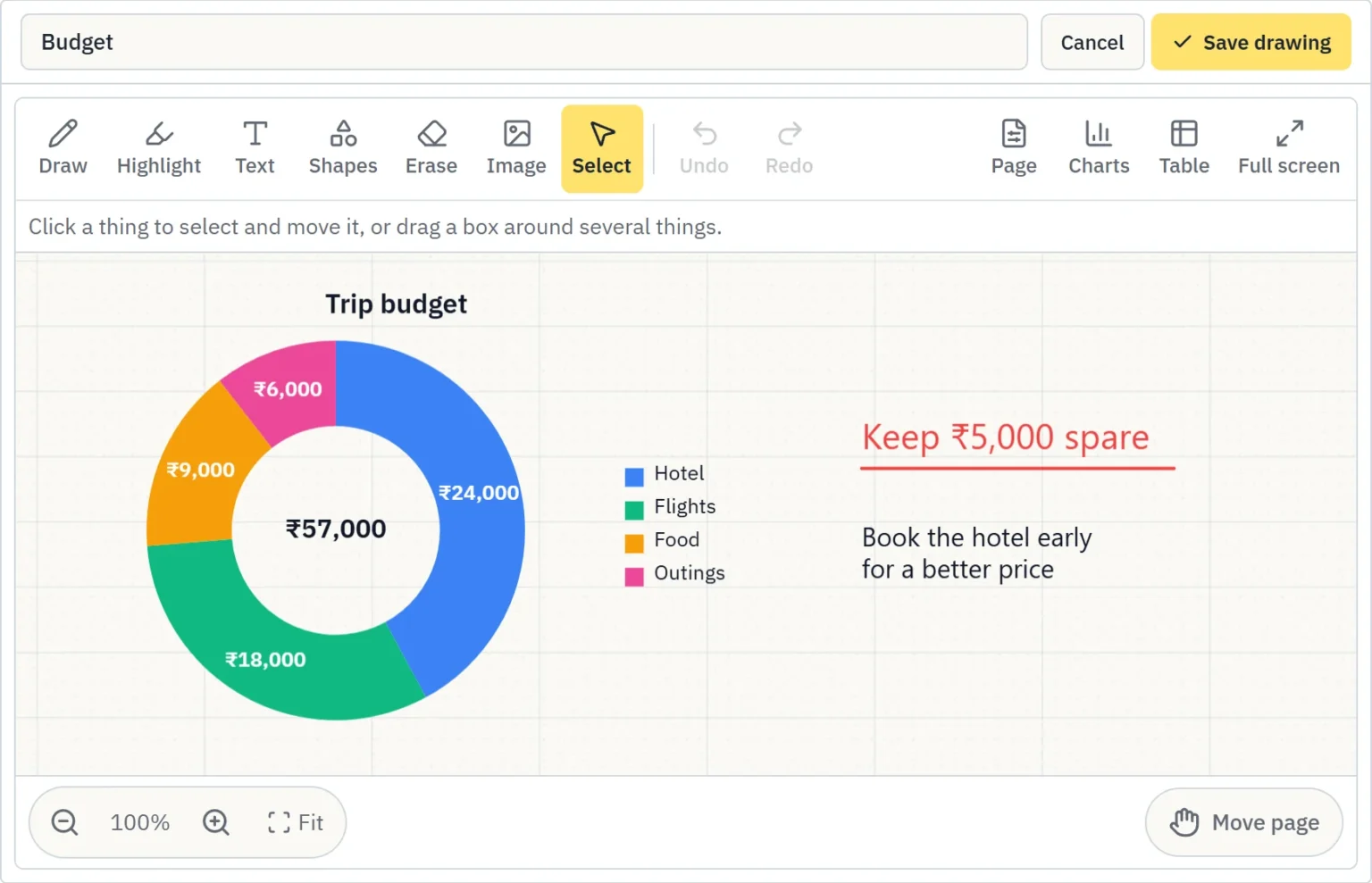
  • Draw, Highlight, Text, Shapes, Erase, Image and Select, all named in words.
  • Turn, stretch and copy anything you add.
  • Pinch to zoom on a tablet, or use a pen.
  • Take a photo with your camera and draw on it.
The drawing editor with a donut chart of a trip budget and handwritten notes

Charts, timelines and diagrams

Show your numbers and plans as pictures, right next to your writing.
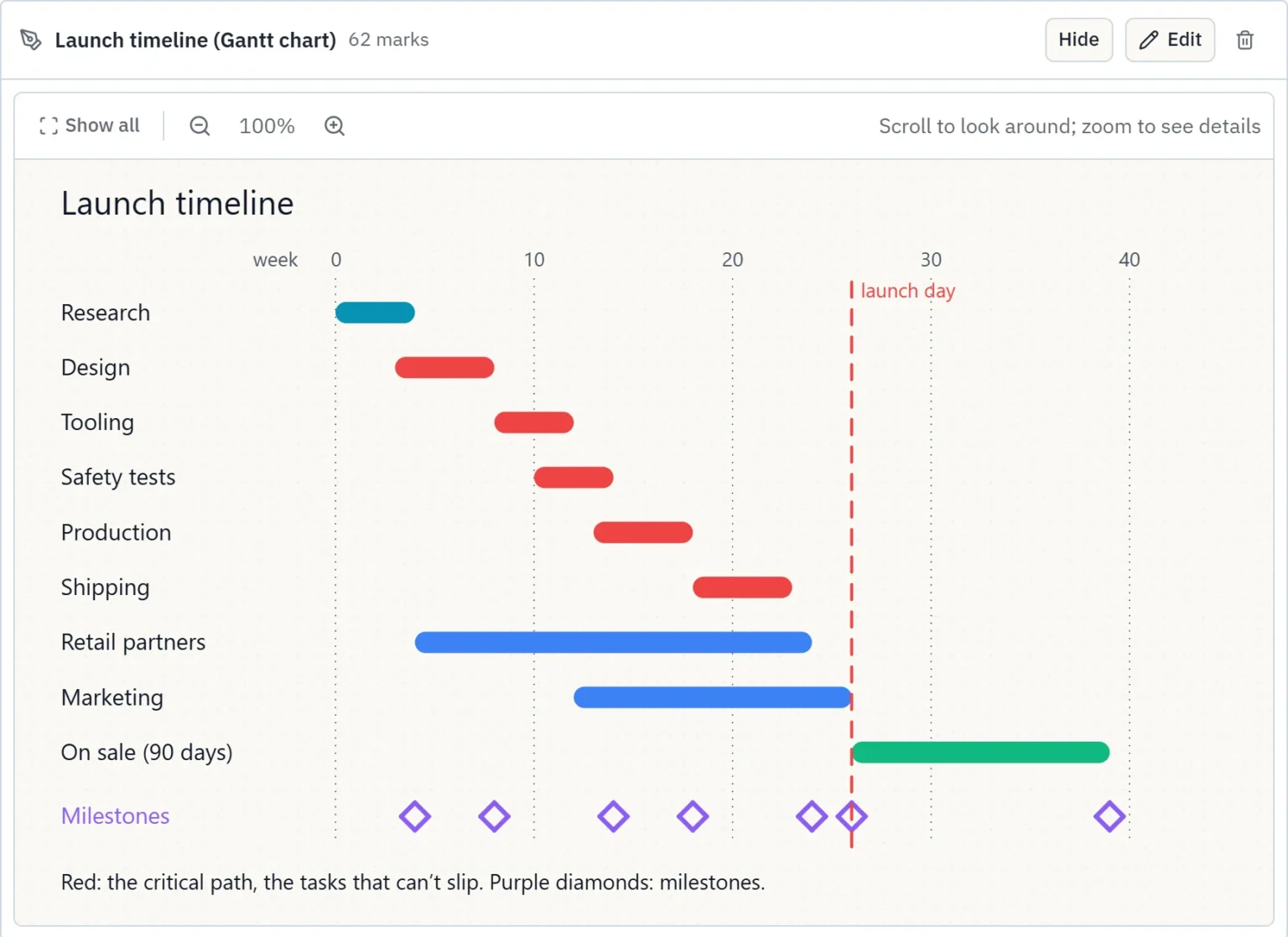
  • Bar, line, pie and funnel charts. Type the numbers and see the chart change.
  • Tables you can move and resize on the page.
  • Flowcharts with shapes and arrows.
  • Or ask your AI app to lay out a flowchart, mind map or timeline for you.
A launch timeline drawn as a Gantt chart inside a note

Share with people

Invite someone by their email address and choose what they can do: read, comment, edit, add files or draw. Everyone sees who added and changed what, and old versions stay in History.
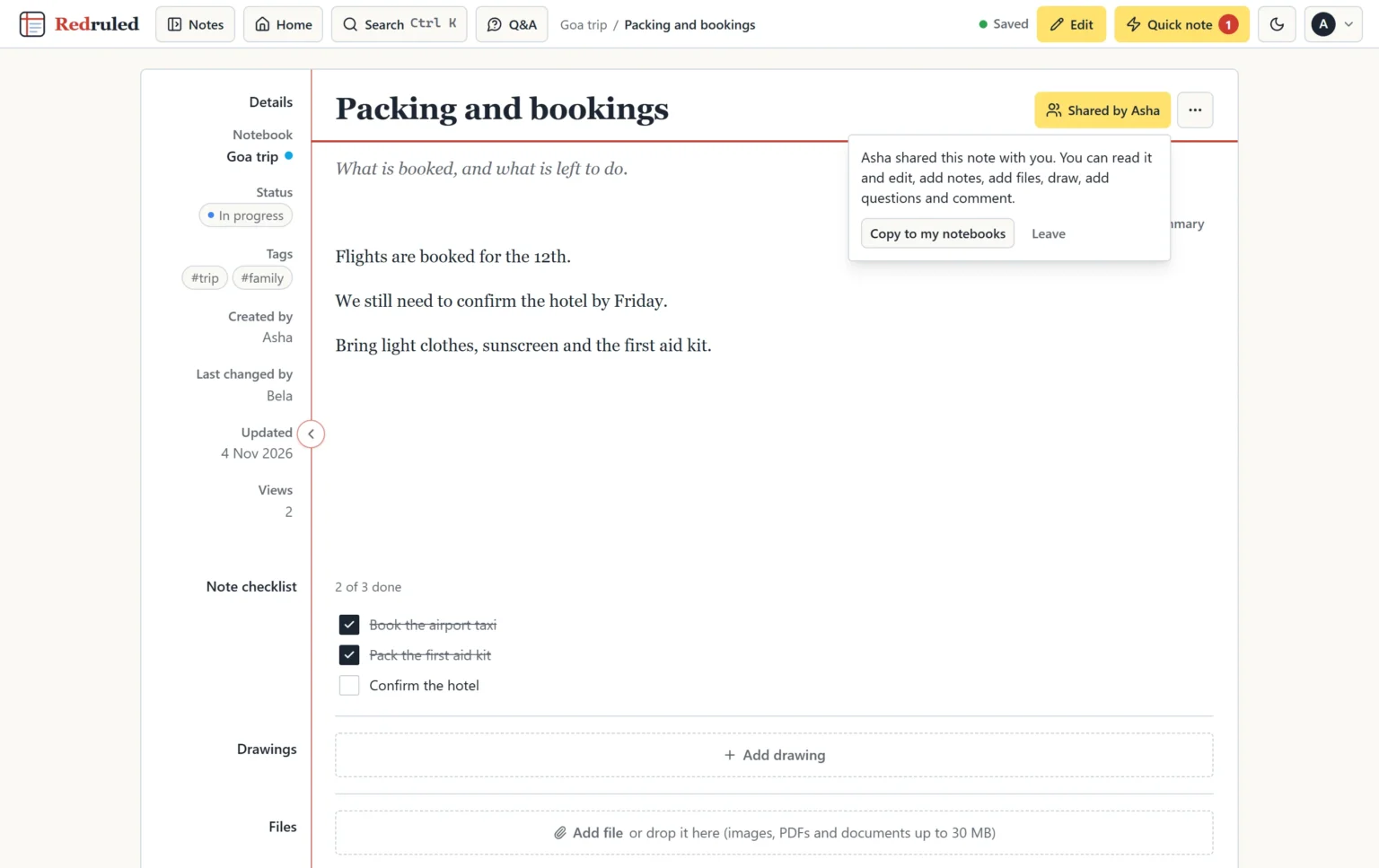
  • Share a whole notebook, or just one note.
  • Pick Can read, Can comment, Can edit or Full access, or tick exactly what each person can do.
  • Comes with Plus and Pro, for up to 25 people.
  • On Plus or Pro, the people you share with can edit your notebook when you allow it. On Free they can read it.
A note shared with someone on Pro: Shared by Asha, with an Edit button, what they can do, and Last changed by Bela

Tables and highlights in your text

Plan a week, compare prices or list who does what in a table, and mark what matters with the highlighter.
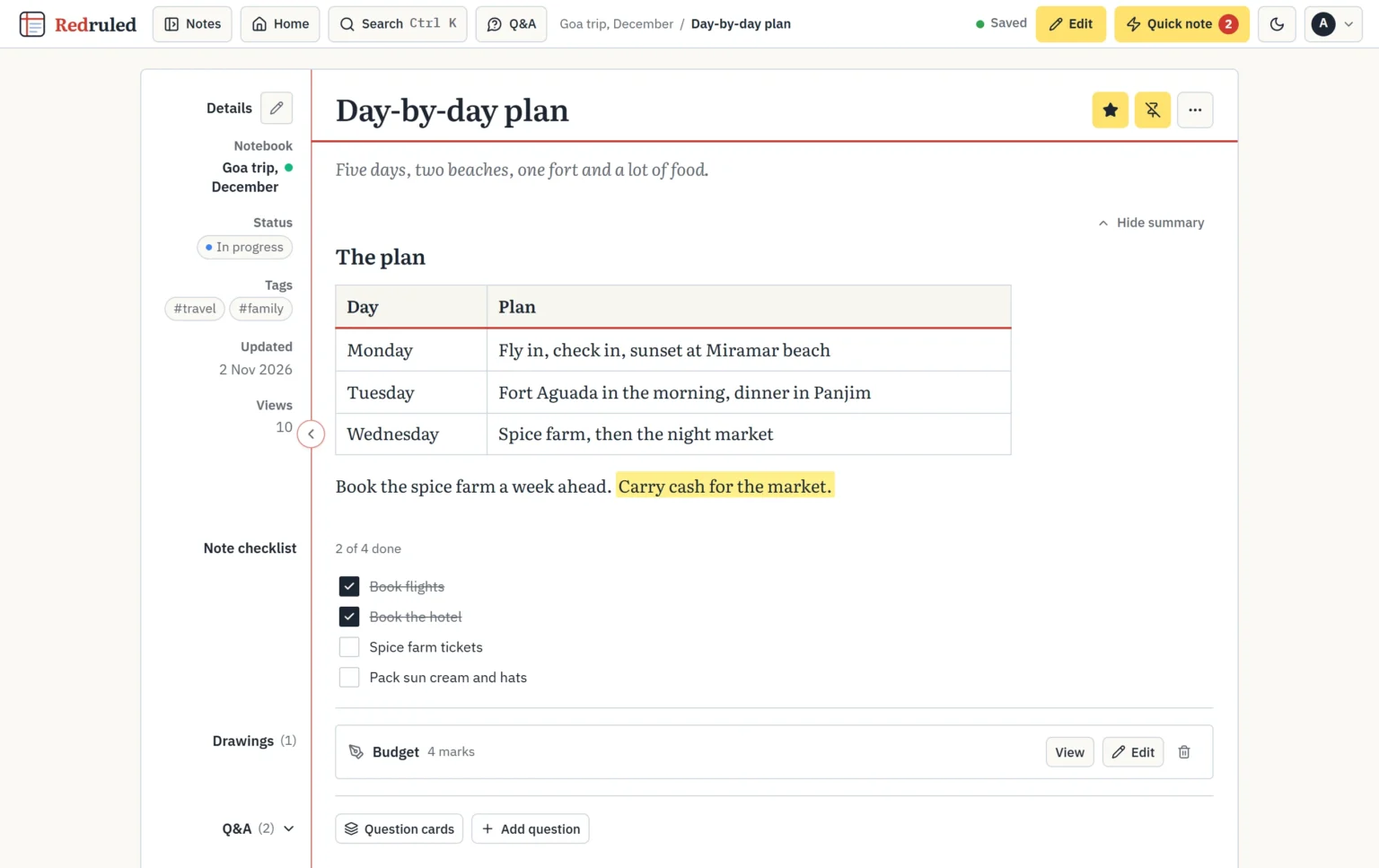
  • Paste a table straight from a spreadsheet.
  • Add rows and columns with buttons named in words.
  • Pictures in your text, in four sizes.
A trip plan note with a table and a highlighted reminder

Q&A and question cards

Add questions to any note, with the answer. Later, check what you remember.
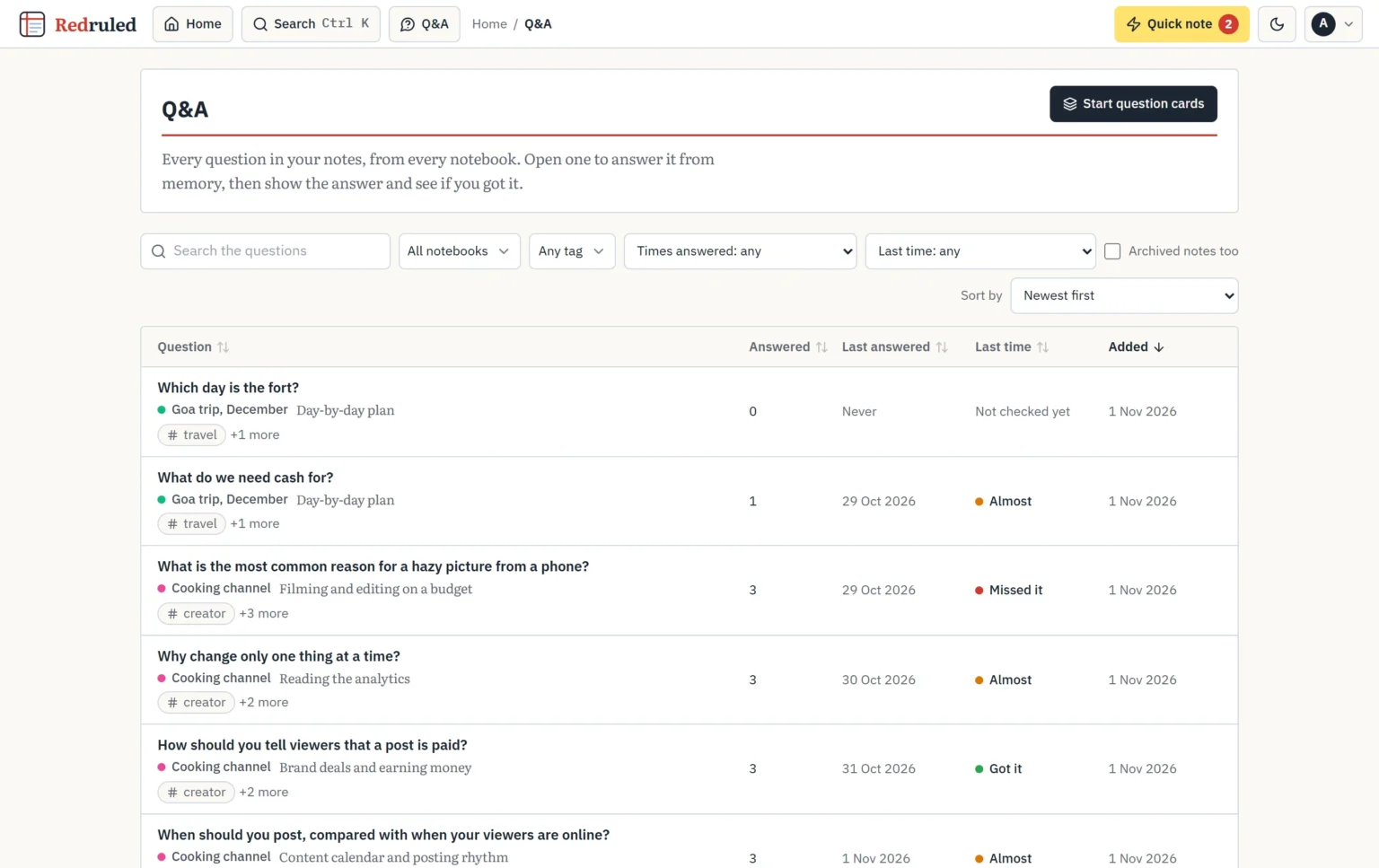
  • The Q&A page lists every question from every notebook.
  • Question cards show one question at a time, shuffled.
  • Write your answer, then mark it: Got it, Almost or Missed it.
  • Stop on your phone and carry on from your computer.
The Q&A page listing questions from different notebooks and how well each was remembered

Find anything in seconds

Search every note at once by its title, its text or its tags. Press Ctrl+K on a computer.
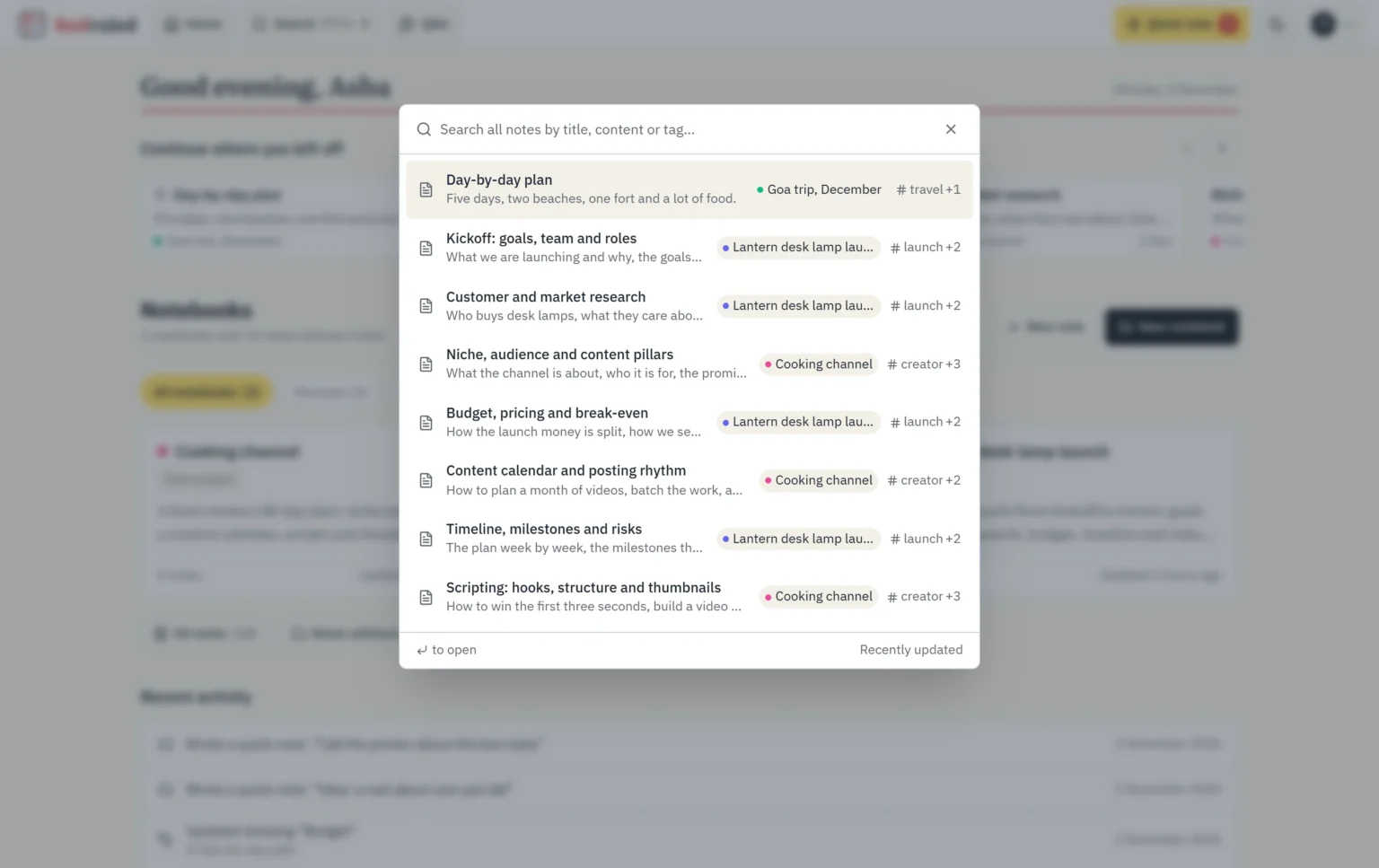
  • Works in any language: English, Hindi, Arabic, Chinese and more.
  • Tap a tag to see every note that has it.
  • Pin and favourite the notes you open most.
Search across every note, showing matches for "launch"

On your phone, tablet and computer

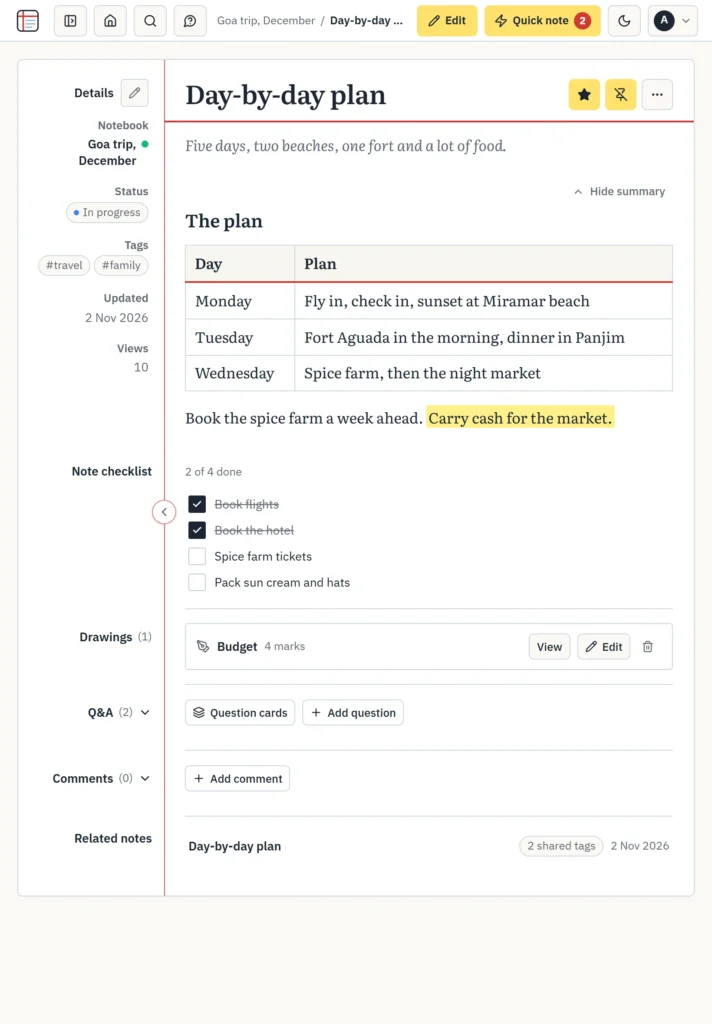
Redruled runs in your browser, so the same notebook is on every screen. Tablets get the full layout.
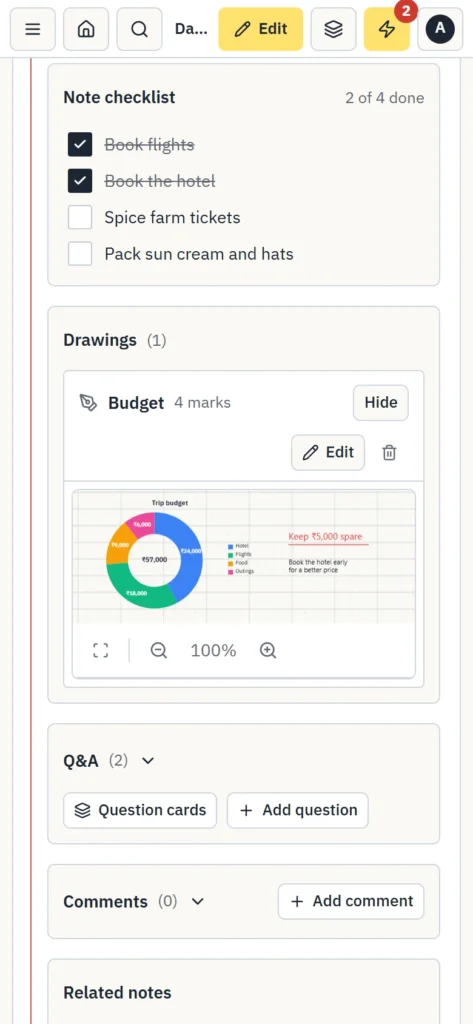
  • On iPhone or iPad: open app.redruled.com in Safari, tap Share, then Add to Home Screen.
  • On Android: open it in Chrome, open the menu, then tap Install app or Add to Home screen.
  • It then opens from its own icon, like any other app.
A trip plan note on an iPadA note on a phone with a checklist and a budget chart

Easy on the eyes

Make Redruled look the way you like to read.
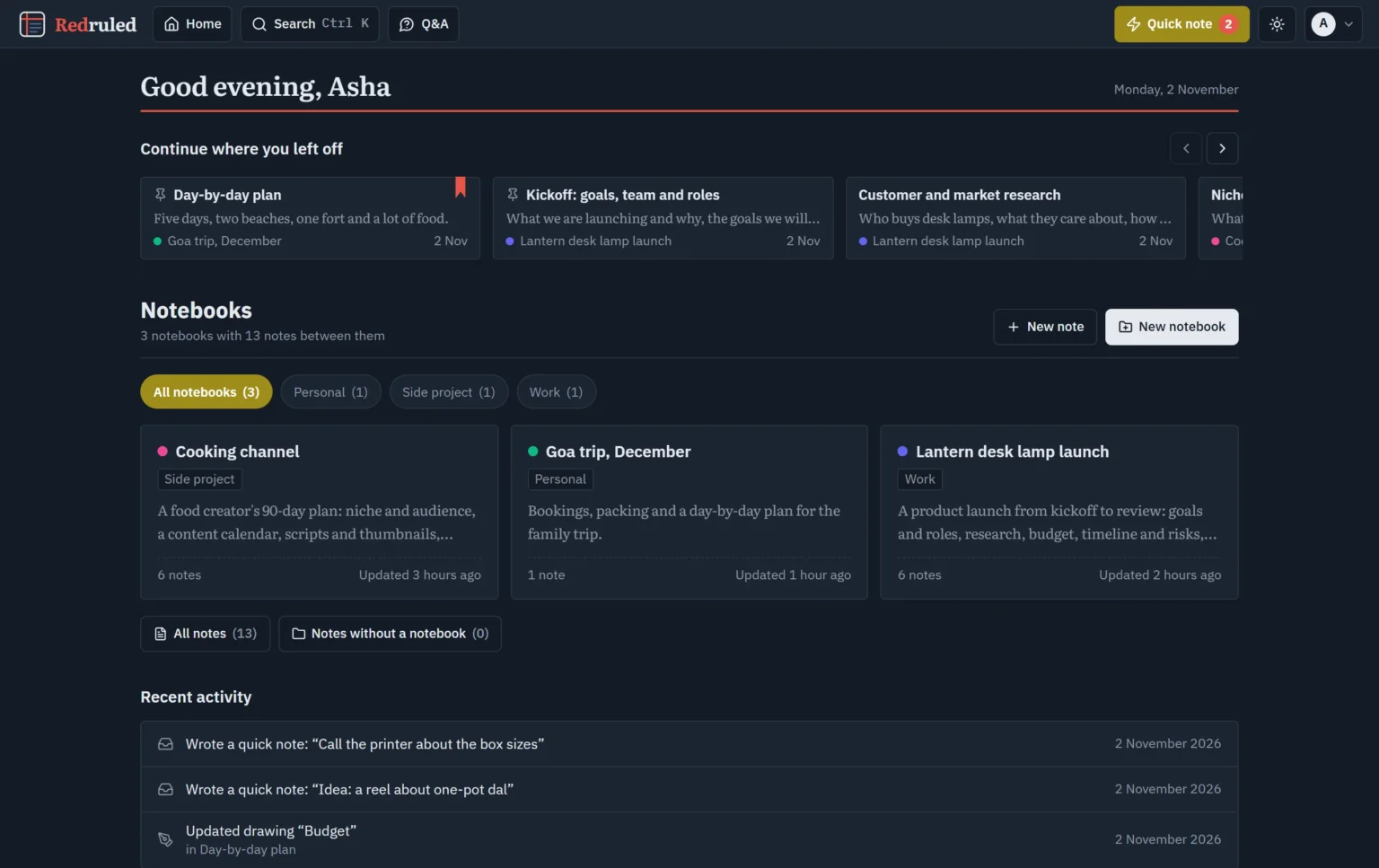
  • Light or dark, with one tap.
  • Text size: Normal, Large or Extra large.
  • Six writing fonts, from Book to Handwritten and Typewriter.
  • Rename "Notebooks" and "Notes" to the words you use.
Redruled home page in dark mode

And there's more

Checklists

Each note has its own checklist. Tick things off as you go.

Files

Add PDFs up to 100 MB and pictures and documents up to 30 MB each on Pro. Read a PDF in a full reader, with search, highlights, bookmarks and read aloud, and carry on from any device.

Quick notes

Catch a thought or a file in seconds. Put it in the right notebook when you have time.

History

Every save keeps the old version. See it whole, with what changed and who saved it, or bring it back.

Templates

Save a note you use often as a template and start new notes from it.

Comments

Leave a comment on a note, for yourself or for the people you share it with.

Examples to copy

Three example notebooks, for a product launch, a cooking channel and a biology class. Copy one to start fast.

Download as text

Download any note as a text file (Markdown) to keep a copy or use it elsewhere.

Private by default

Your notes are private until you share them. No ads and no trackers.

Try it with your own notes

Your first 2 months of Plus and Pro are free. Sign up with your email or with Google.