One notebook for work, home and everything between

Give each part of your life its own notebook. Here is how people use Redruled, with examples you can copy inside the app.

Work

Run a project from one notebook

Keep a project's goals, research, numbers and timeline together, so you always know where things are.

  • A note for each topic: kickoff, research, budget, timeline.
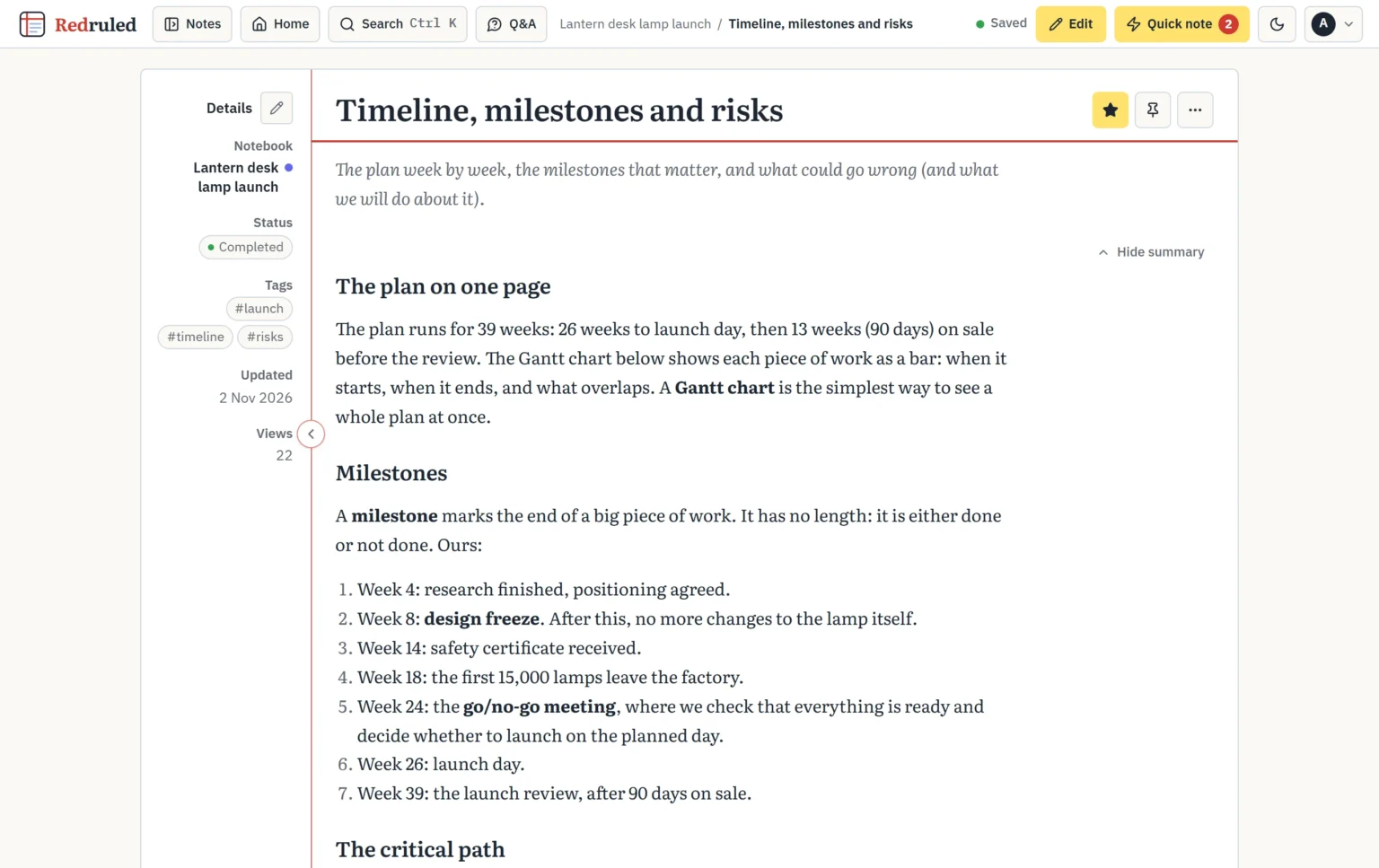
  • A timeline chart and a budget table right on the page.
  • A checklist of next steps in every note.
  • Ask your AI app to sum up the week or list what is left.
  • Share the notebook with your team and see who changed what.

Example inside the app: "Product launch: Lantern desk lamp".

A work note about a product launch timeline, with its details down the margin

Personal life

Plan a trip, a move or a family event

Day-by-day plans, bookings, packing lists and the budget, in one notebook you can open on your phone.

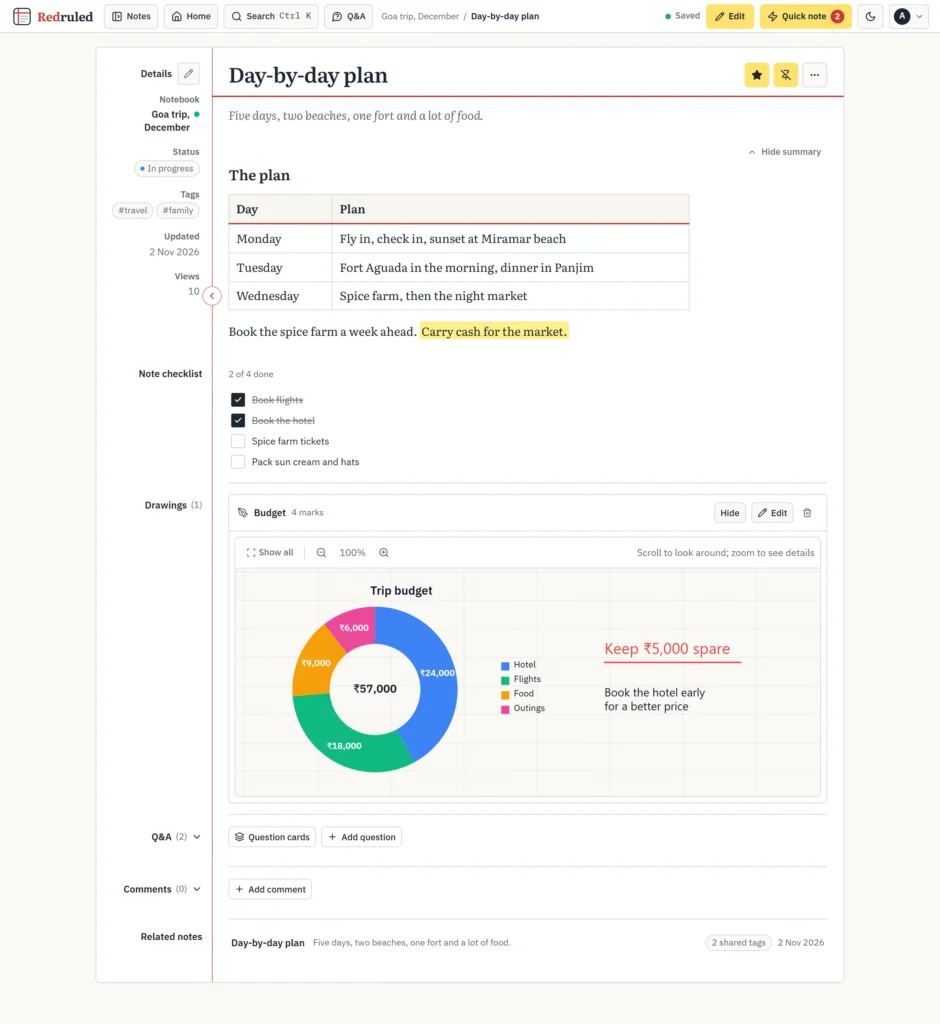
  • A table for each day of the trip.
  • A packing checklist you tick off as you pack.
  • A budget chart that changes when you change the numbers.
  • Tickets and bookings kept as files with the plan.
  • Share the plan with your family, so everyone can add to it.
A whole trip plan note: plan table, checklist, budget chart, Q&A

Creators

Plan your channel

Ideas, scripts, thumbnail sketches and a posting plan, side by side.

  • Quick notes for ideas that come at odd hours.
  • Scripts with the hook, the steps and the ending.
  • Thumbnail sketches drawn next to the script.
  • A content calendar in a table.

Example inside the app: "Creator plan: growing a cooking channel".

Cooking channel

Content calendar and posting rhythm

Two videos a week. Film on Saturday, edit on Sunday, post Tuesday and Friday at 7 pm.

Note checklist

  • Film the one-pot dal reel
  • Write hooks for three Sunday videos
  • Sketch the thumbnail for the biryani video
  • Reply to comments on Friday's video

Students

Notes that help you remember

Write class notes, draw the diagrams, and add questions to check what you remember before an exam.

  • Diagrams drawn right inside the note.
  • Questions and answers under every topic.
  • Question cards that mix questions from every subject.
  • Works in Hindi and any other language.
  • Share a notebook with your teacher and work through the same notes.

Example inside the app: "The Living Cell".

Biology

The cell: its parts and their jobs

Q&A

  • What does the mitochondrion do? Got it
  • Which part controls what goes in and out of the cell? Almost
  • Where are proteins made? Missed it

Start with an example

Every new account comes with example notebooks. Open one, copy it, and make it yours.