Claude (also Cowork)
Settings → Connectors → Add custom connector, then paste the address.
Connect ChatGPT, Claude, Gemini or another AI app to Redruled. Then ask it about your notes, or ask it to add to them. It can never delete anything.
1
https://mcp.redruled.com/mcp
You'll find it in Redruled too, under Settings, AI apps.
2
Add it as a connector or MCP server. The steps for each app are below.
3
Redruled opens and shows which app is asking and what it may do. Tap Allow, and you're connected.
Menus change from time to time. If a step looks different, look for "connectors", "custom apps" or "MCP servers" in the app's settings.
Settings → Connectors → Add custom connector, then paste the address.
Settings → Apps → Advanced settings: turn on Developer mode, then Create app and paste the address.
Settings → Connected apps → Custom apps → Add a custom app, then paste the address.
Manage MCP servers → mcp_config.json: add "redruled": { "serverUrl": "https://mcp.redruled.com/mcp" }, then Refresh.
Run: claude mcp add --transport http redruled https://mcp.redruled.com/mcp
settings.json → mcpServers: add "redruled": { "httpUrl": "https://mcp.redruled.com/mcp" }, then /mcp auth redruled.
Add a remote (HTTP) MCP server with the address. An app that only runs local servers can use: npx mcp-remote https://mcp.redruled.com/mcp
An AI app works as you, inside your own notebooks, with fewer powers than you have.
These limits are checked by Redruled's database itself, not only by the app, so an AI app can't get around them.
Nothing is shared with an AI app until you connect it yourself.
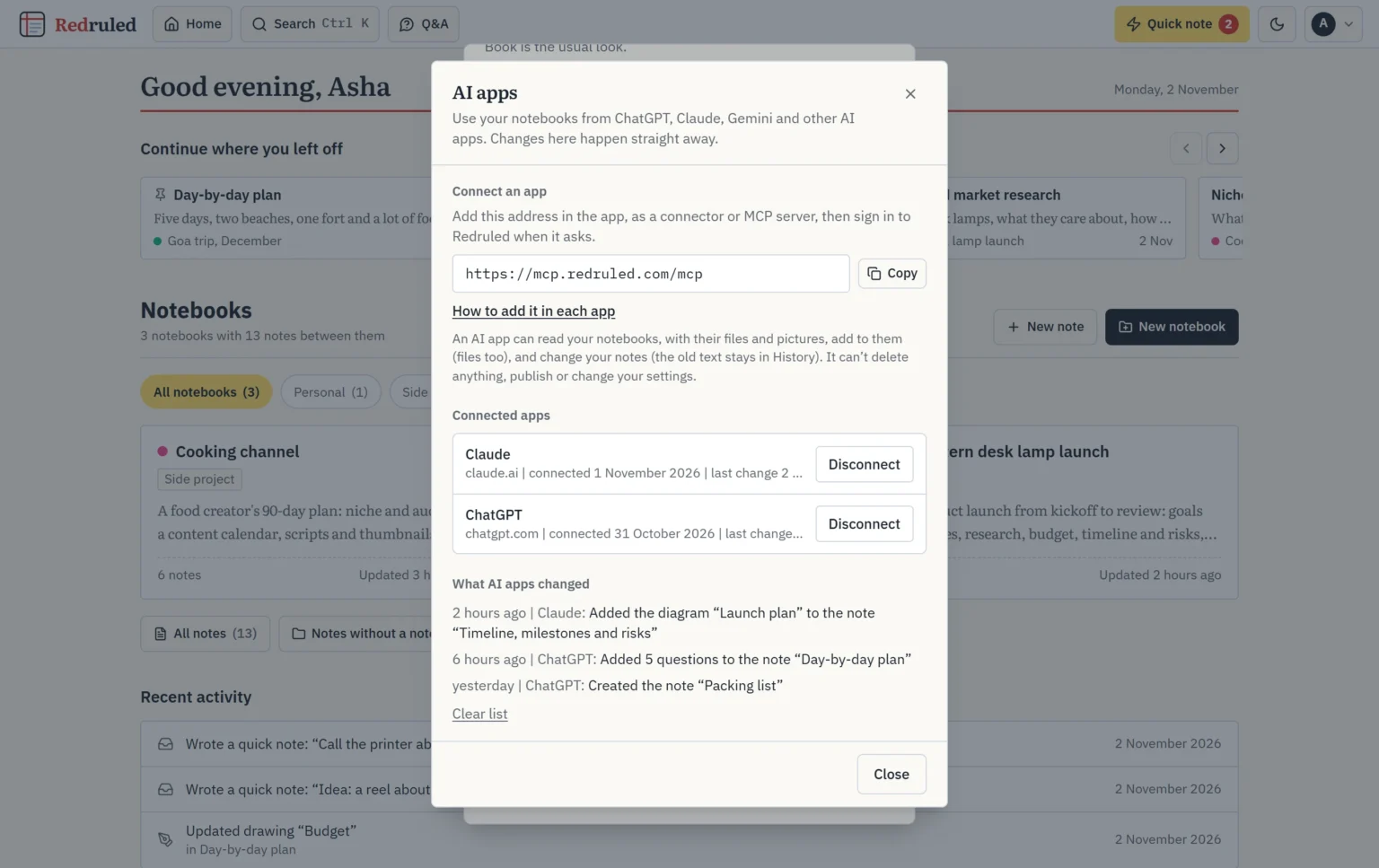
Once it's connected, talk to your AI app the way you normally do.
"Sum up my Goa trip notebook in five lines."
"What is still unticked on my packing checklist?"
"Add five questions to my note about the launch budget."
"Draw a flowchart of our new customer steps in my Work notebook."
"Turn this email into a note with a checklist."
"Make a timeline of the video plan for next month."
Make a free Redruled account first, then add the address in your AI app.